Design · 2026-01-03 · 8 min read
Common Mistakes Designers Make with Placeholder Text

Software Engineer, architect, and systems designer
Software Engineer with over 10 years of industry experience, working across architecture and system design. Builds Lorem Genius under Ashika Labs.
Common Mistakes Designers Make with Placeholder Text
Placeholder text is an essential tool in the designer's toolkit. It allows us to focus on layout, typography, and visual hierarchy without waiting for final content. However, like any tool, it can be misused. In this article, we'll explore the most common mistakes designers make with placeholder text and provide actionable best practices to avoid them.
Mistake #1: Overusing Placeholder Text
The Problem
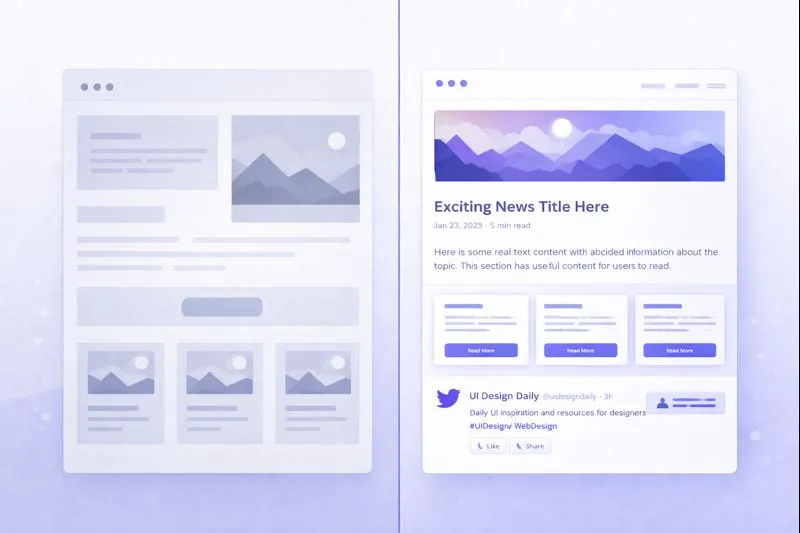
One of the most prevalent mistakes is relying too heavily on placeholder text throughout the entire design process. While Lorem Ipsum is invaluable for initial wireframes and mockups, keeping it in place for too long can lead to several issues:
- Unrealistic content expectations: Generic placeholder text doesn't reflect the actual length, tone, or structure of real content.
- Layout issues discovered too late: When real content finally arrives, it may break the carefully crafted design.
- Delayed content collaboration: Designers working in isolation with placeholder text miss opportunities for early content-design integration.
Real-World Example
A web agency designed a beautiful homepage with perfectly balanced Lorem Ipsum paragraphs. When the client provided their actual copy—which was twice as long with technical jargon—the layout collapsed. Headlines broke across lines awkwardly, and the carefully proportioned content blocks became uneven.
Best Practice
Transition to real or realistic content as early as possible. If final content isn't available, work with content strategists to create representative placeholder content that mirrors the expected length, tone, and structure of the actual text.
Mistake #2: Shipping Products with Placeholder Text
The Problem
This is the nightmare scenario every designer dreads: publishing or launching a product with Lorem Ipsum still visible. It happens more often than you'd think, and the consequences range from embarrassing to damaging:
- Loss of credibility and professionalism
- Confusion for users who encounter meaningless text
- Potential legal issues if placeholder appears in contracts or official documents
Real-World Examples
- Apple's "Lorem Ipsum" incident (2014): iOS 8's Tips app shipped with Lorem Ipsum visible in certain languages, making headlines worldwide.
- Australian Government website: A government agency accidentally published a page with Lorem Ipsum, leading to public mockery.
- Major e-commerce sites: Several retail websites have launched product pages with placeholder descriptions, confusing customers and hurting sales.
Best Practice
Implement a pre-launch checklist that specifically includes a placeholder text audit:
- Search the entire codebase for "Lorem," "Ipsum," and common placeholder phrases
- Use automated testing tools to flag placeholder text patterns
- Conduct content reviews with fresh eyes before every release
- Add placeholder detection to your CI/CD pipeline
Mistake #3: Misleading Stakeholders with Placeholder Text
The Problem
When presenting designs to clients or stakeholders, placeholder text can create false expectations or distract from meaningful feedback:
- Stakeholders may approve designs without understanding how actual content will fit
- Discussions focus on design aesthetics while ignoring content-design integration
- Final content requirements are underestimated or overlooked
Real-World Example
A design team presented a sleek mobile app mockup with short, balanced Lorem Ipsum headlines. The stakeholders approved the design enthusiastically. However, the actual product required legal disclaimers, multi-language support, and longer feature descriptions. The approved design couldn't accommodate the real requirements, leading to costly redesigns.
Best Practice
Be transparent about placeholder content during presentations:
- Clearly label placeholder text in mockups: "Sample text - actual content pending"
- Discuss content requirements as part of design reviews
- Present designs with content variations (short, medium, and long text scenarios)
- Include content strategists in stakeholder presentations
Mistake #4: Ignoring Accessibility Considerations
The Problem
Placeholder text can inadvertently create accessibility issues that persist into production:
- Screen reader confusion: Lorem Ipsum is read aloud as gibberish, disorienting users
- Form placeholder abuse: Using placeholder text as labels makes forms inaccessible
- Contrast and readability: Placeholder styling may not meet accessibility standards
- Cognitive load: Nonsensical text during user testing can confuse participants with cognitive disabilities
Real-World Example
A healthcare portal used placeholder text extensively during user testing with visually impaired participants. Screen readers attempted to pronounce the Latin gibberish, creating a frustrating experience that didn't reflect how users would interact with real content. The team missed critical accessibility feedback.
Best Practice
Design and test with accessibility in mind:
- Use realistic content for accessibility testing sessions
- Ensure placeholder text styling meets WCAG contrast requirements
- Never use placeholder attributes as the sole label for form fields
- Consider using meaningful placeholder alternatives for screen reader testing
Mistake #5: Ignoring Content Structure
The Problem
Lorem Ipsum is structurally uniform, with consistent paragraph lengths and sentence patterns. Real content is rarely so predictable:
- Headlines vary dramatically: From two words to entire sentences
- Paragraphs differ in length: From single sentences to lengthy blocks
- Lists and special content: Bullet points, quotes, and callouts break the rhythm
- User-generated content: Comments, reviews, and inputs are unpredictable
Real-World Example
A news website was designed with Lorem Ipsum articles that all had five perfectly balanced paragraphs. When real articles ranged from brief news updates (100 words) to in-depth features (3,000+ words), the rigid design couldn't adapt gracefully. Short articles looked empty, while long articles overwhelmed the page.
Best Practice
Test designs with content variations:
- Create multiple placeholder versions: minimum, average, and maximum lengths
- Include edge cases: very long words, special characters, and different languages
- Design components that gracefully handle content extremes
- Use tools like Lorem Genius that offer customizable placeholder text lengths
Mistake #6: Using Culturally Insensitive or Inappropriate Placeholder
The Problem
While Lorem Ipsum is generally neutral, some designers use alternative placeholder texts that can be problematic:
- Inappropriate humor: Placeholder text with hidden jokes can offend if accidentally published
- Cultural insensitivity: Random text generators may produce culturally inappropriate content
- Legal issues: Some creative placeholder texts contain copyrighted material
Real-World Example
A marketing agency used a "Hipster Ipsum" generator for a client presentation. The quirky placeholder text included references that the conservative client found unprofessional. The client questioned the agency's judgment, damaging the relationship before the project even began.
Best Practice
Stick to neutral, professional placeholder text:
- Use standard Lorem Ipsum for client-facing work
- Review any alternative placeholder generators for appropriateness
- Establish placeholder text guidelines as part of your design system
- Consider your audience when selecting placeholder style
Mistake #7: Neglecting Placeholder Text in Responsive Design
The Problem
Placeholder text that looks perfect on desktop can break on mobile devices:
- Text that fits in one line on desktop may wrap awkwardly on mobile
- Long placeholder URLs or email addresses overflow containers
- Font scaling issues become apparent with different content lengths
Real-World Example
A SaaS company's landing page featured a compelling headline that fit perfectly on desktop: "Transform Your Business with Our Revolutionary Platform." On mobile, it broke across four lines, pushing the call-to-action button below the fold. The placeholder text used during design was much shorter, hiding this issue.
Best Practice
Test placeholder text across all breakpoints:
- Use placeholder text that represents real-world content lengths
- Test with the longest expected content on the smallest screens
- Consider text that might be translated into languages with longer words
- Include mobile-first content testing in your design process
Summary: Placeholder Text Best Practices Checklist
To avoid these common mistakes, follow this checklist:
| Mistake | Prevention Strategy |
|---|---|
| Overusing placeholder text | Transition to real content early; collaborate with content creators |
| Shipping with placeholder | Implement automated placeholder detection in CI/CD |
| Misleading stakeholders | Label placeholders clearly; present content variations |
| Ignoring accessibility | Test with realistic content; follow WCAG guidelines |
| Ignoring content structure | Test with minimum, average, and maximum content lengths |
| Culturally insensitive placeholders | Use neutral, professional placeholder text |
| Responsive design oversights | Test placeholder text across all breakpoints |
Conclusion
Placeholder text is a powerful design tool, but it requires thoughtful application. By being aware of these common mistakes and implementing preventive best practices, designers can leverage placeholder text effectively while avoiding the pitfalls that can derail projects, damage client relationships, and compromise user experience.
The key is to treat placeholder text as a temporary bridge to real content, not a permanent solution. Collaborate early with content creators, test with realistic content variations, and always—always—check for lingering Lorem Ipsum before launch.
Ready to generate better placeholder text for your next project? Try Lorem Genius for customizable, professional placeholder content that helps you avoid these common mistakes.