Design · 2026-01-17 · 8 min read
Best Practices for Placeholder Text in Landing Pages


Software Engineer, architect, and systems designer
Software Engineer with over 10 years of industry experience, working across architecture and system design. Builds Lorem Genius under Ashika Labs.
Best Practices for Placeholder Text in Landing Pages
Landing pages are conversion machines. Every element—from the hero headline to the final CTA—must work together to persuade visitors to take action. When you're designing landing pages, placeholder text becomes more than just filler; it's a strategic tool that shapes how your final content will perform.
This guide covers best practices for using placeholder text in landing page design while keeping conversion optimization front and center.
Why Landing Pages Need Special Attention
Unlike blogs or informational pages, landing pages have one job: convert visitors into leads or customers. This means:
- Every word matters - Placeholder text must represent realistic content lengths
- Visual hierarchy is critical - Text blocks must support the conversion funnel
- Trust signals need prominence - Testimonials and social proof require proper spacing
- CTAs must stand out - Button text and surrounding copy affect click-through rates
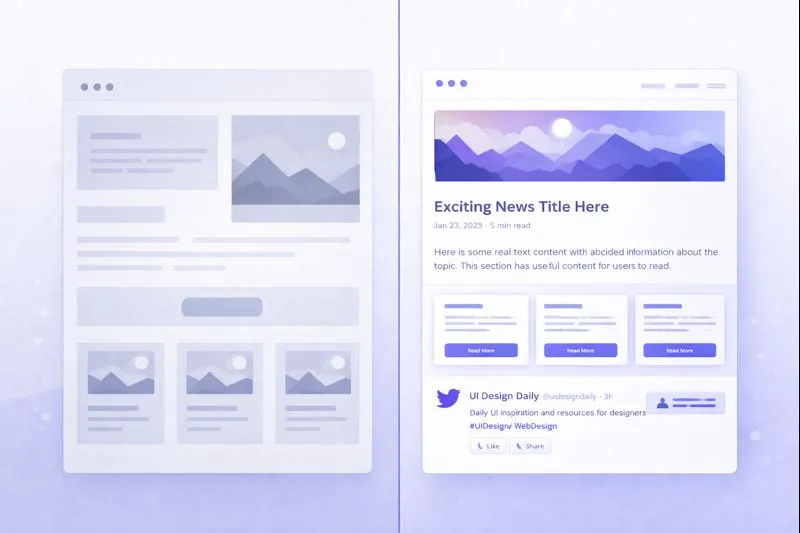
Using placeholder text carelessly can lead to designs that look great with Lorem Ipsum but fail with real copy.
Hero Section Best Practices
The hero section is your first (and sometimes only) chance to capture attention.
Headline Placeholder Guidelines
Your hero headline should be:
- 5-12 words for optimal readability
- Action-oriented or benefit-focused in real copy
- Large enough to command attention
Good placeholder example:
Placeholder Headline That Shows Real Length
Problematic placeholder:
Lorem ipsum dolor sit amet consectetur adipiscing elit sed do eiusmod tempor
The second example is too long and will create unrealistic layout expectations.
Subheadline Considerations
Subheadlines typically run 15-25 words. Use placeholder text that:
- Spans approximately two lines on desktop
- Maintains readability on mobile (check at 320px width)
- Leaves room for real benefit statements
Try our Landing Page generator which creates hero, feature, and CTA sections with realistic content lengths.
Hero CTA Buttons
Button text is notoriously short. Design with realistic placeholders:
| ❌ Too Generic | ✅ Realistic Length |
|---|---|
| "Click Here" | "Start Free Trial" |
| "Submit" | "Get Started Now" |
| "Lorem" | "Download Guide" |
Feature Blocks and Benefits
Feature sections communicate value propositions. Here's how to handle placeholder text:
The 3-Column Feature Layout
For the classic three-column feature grid:
[Icon]
Feature Title (3-5 words)
Description text that explains the benefit
in approximately 15-25 words maximum.
Common mistakes:
- Using full paragraphs instead of concise descriptions
- Inconsistent text lengths across columns
- Forgetting to test with short AND long content
Benefit Statements
Benefits should be scannable. Use placeholder text that:
- Starts with action verbs (Save, Increase, Reduce, Automate)
- Fits on 1-2 lines
- Leaves visual breathing room
Form Design and Placeholder Text
Forms are conversion bottlenecks. Placeholder text affects both usability and conversion rates.
Input Field Labels vs. Placeholders
Best practice: Always use visible labels, not just placeholder text.
| Approach | Conversion Impact |
|---|---|
| Label above field | ✅ Best for clarity |
| Placeholder only | ❌ Disappears on focus, confuses users |
| Label + placeholder | ✅ Good for examples |
Form Field Examples
Name: [Your full name]
Email: [work@company.com]
Company: [Acme Inc.]
Message: [Tell us about your project...]
Notice how placeholder text provides examples, not instructions.
Error Messages
Don't forget to design error states with realistic text:
- "Please enter a valid email address"
- "This field is required"
- "Password must be at least 8 characters"
Social Proof Sections
Testimonials and social proof build trust. Placeholder text must represent realistic quotes.
Testimonial Length Guidelines
| Type | Typical Length |
|---|---|
| Short quote | 15-25 words |
| Full testimonial | 40-75 words |
| Case study excerpt | 50-100 words |
Example testimonial placeholder:
"This product transformed how we approach customer engagement.
We saw a 40% increase in conversions within the first month."

— Name Surname, Job Title at Company Name
Attribution Format
Always include placeholder attribution with realistic formatting:
- Full name (2 words)
- Job title (2-4 words)
- Company name (1-3 words)
Pricing Tables
Pricing sections are high-stakes areas. Get the placeholder text right.
Plan Names and Descriptions
STARTER
$29/month

Perfect for individuals and
small teams getting started.

✓ Feature one description
✓ Feature two description
✓ Feature three description

[Start Free Trial]
Feature Lists
Use consistent placeholder lengths:
- Each feature: 3-6 words
- Same number of features per plan (or clearly differentiated)
- Include both included and excluded features
Mobile Considerations
Landing pages must convert on mobile. Test placeholder text at mobile widths:
Mobile-Specific Checks
- Headlines don't wrap awkwardly
- CTAs remain visible above the fold
- Feature descriptions stay readable
- Forms don't require horizontal scrolling
- Testimonials don't dominate the viewport
Responsive Text Length
What works on desktop may fail on mobile:
| Element | Desktop | Mobile |
|---|---|---|
| Hero headline | 8-12 words | 5-8 words |
| Feature description | 20-30 words | 15-20 words |
| CTA button | 3-4 words | 2-3 words |
Do's and Don'ts Summary
✅ Do's
- Match realistic content lengths - Use placeholder text that approximates your final copy
- Test edge cases - Try both short and long content variations
- Maintain visual hierarchy - Headlines should look like headlines
- Consider mobile first - Design for the smallest viewport
- Use conversion-focused placeholders - Include action verbs and benefit language
❌ Don'ts
- Don't use Lorem Ipsum for CTAs - Button text should always be realistic
- Don't fill every space - White space is a design element
- Don't ignore testimonial formatting - Attribution matters for trust
- Don't forget form validation states - Error messages need design attention
- Don't launch with placeholder text - Always replace before going live
Conversion Checklist
Before finalizing your landing page design, verify:
- Hero headline is readable and appropriately sized
- Subheadline supports the main message
- CTAs stand out visually
- Feature blocks are scannable
- Social proof feels authentic
- Forms are user-friendly
- Mobile experience is optimized
- All placeholder text is replaced with real content
Tools for Landing Page Placeholder Text
When designing landing pages, use purpose-built placeholder generators:
- Landing Page generator - Creates hero, feature, and CTA sections
- UI Mockup generator - For interface elements and form fields
- Document generator - For longer-form content sections
Conclusion
Placeholder text in landing page design isn't just about filling space—it's about creating a realistic foundation for high-converting copy. By following these best practices, you'll design landing pages that work just as well with real content as they do with placeholders.
Remember: the goal is conversion. Every design decision, including how you use placeholder text, should support that objective. Replace Lorem Ipsum with strategic, length-appropriate placeholders, and you'll create designs that seamlessly accommodate your final, conversion-optimized copy.